
Professional Reports Made Simple
Turn your daily logs into polished PDFs perfect for inspections, portfolio reviews, or your own records. Homeschooly handles the formatting, you handle the learning.


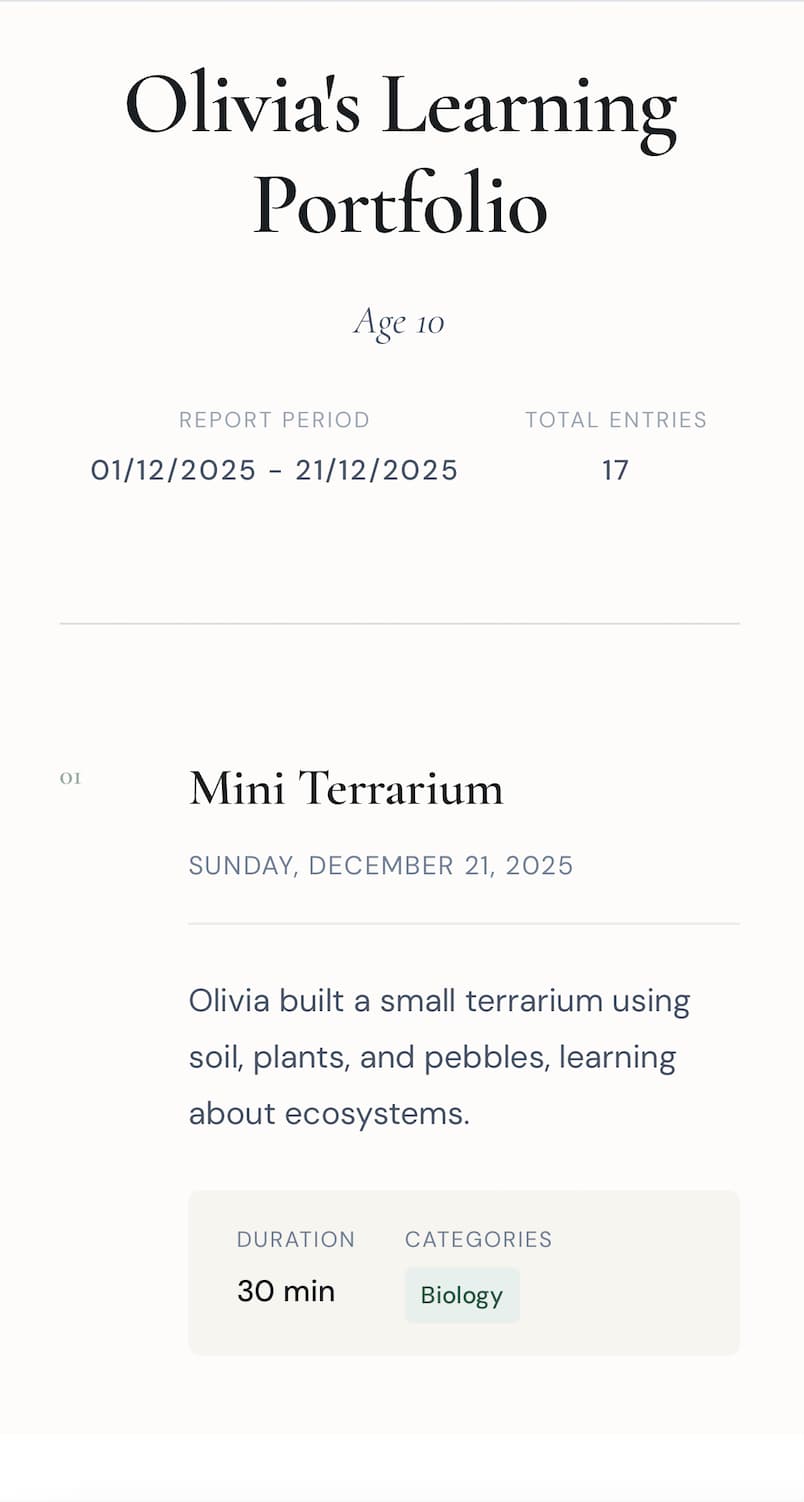
What is Homeschool Reporting?
Homeschool reporting is the process of compiling your educational records into a formal document or presentation. It transforms scattered daily logs into an organized, comprehensive overview of your child's learning journey.
What's Included in Every Report
Activity Summary
Complete list of learning activities with dates, subjects, and detailed notes. Shows the full scope of your homeschool program.
Evidence Portfolio
All photos and work samples attached to activities. Visual proof of learning that reviewers can examine quickly.
Attendance Records
Track attendance by day, week, or month. Demonstrate consistency and identify any gaps in learning schedule.
Subject Breakdown
Categorized time spent on each subject area. Shows balanced coverage and helps with future planning.
Why Use Homeschooly for Reporting?
The main win is not just exporting a PDF. It's turning the records you already kept into something polished enough to share, review, or archive without a second round of admin.
One-Tap PDF Export
Generate professional reports instantly. No manual formatting, no copy-pasting, no stress.
Custom Date Ranges
Choose any time period for your report. Weekly, monthly, or custom ranges. You stay in control.
Share Securely
Send reports directly to evaluators or keep them private when you just want cleaner records for yourself.
Privacy First
All data stays on your device. Generate reports offline without uploading sensitive information.
Complete Report Contents
Learning Activities
Complete log of all activities within your selected date range, including titles, dates, and duration.
Subject Categorization
Activities grouped by subject area, making it easy to see coverage across different domains.
Photos & Evidence
All attached photos included in the report, providing visual documentation of projects and learning.
Notes & Reflections
Your detailed notes and mood reflections captured, showing the story behind each activity.
Attendance Summary
Calendar view showing which days had activities, demonstrating consistent engagement with learning.
Time Analytics
Total time spent on each subject, helping you understand where learning time is allocated.
Generate Reports in Seconds
Join homeschool families who've transformed their reporting process. Free to download.